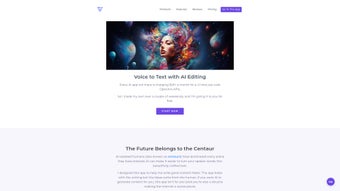

Download Voice to Text App – Free AI Transcription, Secure & Easy
Overview
Voice to Text App is a web‑based AI transcription tool that turns spoken words into polished written content in real time. Built on the powerful ChatGPT engine, the app captures the tone, nuance, and context of your voice notes, delivering drafts that feel as natural as if you had typed them yourself. Because the solution runs entirely on the client side, you supply your own OpenAI API key, ensuring that no personal audio data ever leaves your device. This privacy‑first approach gives you full ownership of every transcription, making the app an ideal companion for writers, marketers, students, and anyone who wants to speed up content creation without sacrificing security. Whether you need a quick blog outline, a full‑length article, a script for a video, or meeting minutes, Voice to Text App streamlines the process from dictation to final draft, all for free.
The user interface is intentionally minimalistic: a large record button, a text pane that updates live, and a set of formatting controls that let you fine‑tune the output. Because it’s a browser‑only solution, you can access it on any modern operating system—Windows, macOS, Linux, Android, or iOS—without installing bulky software. The app also supports multiple languages, thanks to OpenAI’s multilingual models, and includes a handy “outline mode” that automatically structures your spoken ideas into headings and sub‑headings. In short, Voice to Text App combines the convenience of voice dictation with the intelligence of AI, delivering a seamless workflow for anyone who writes on the go.
Key Features
- AI‑Powered Transcription: Leverages ChatGPT to produce accurate, context‑aware text that mirrors the speaker’s tone.
- Client‑Side Processing: All audio is processed locally; only the API key is sent to OpenAI, protecting your privacy.
- Free & Open Access: No subscription fees; you only need an OpenAI API key, which can be obtained with a free credit tier.
- Outline Generation: Automatically converts spoken ideas into structured headings, perfect for blog posts and reports.
- Multi‑Language Support: Works with over 20 languages, allowing global users to transcribe in their native tongue.
- Cross‑Platform Compatibility: Runs in any modern browser on Windows, macOS, Linux, Android, and iOS.
- Live Editing: Edit the transcribed text in real time while you continue dictating, ensuring a smooth workflow.
- Export Options: Save drafts as plain text, Markdown, or directly copy to clipboard for easy integration with other tools.
- Custom Prompt Settings: Tailor the AI’s writing style—formal, casual, technical—by adjusting a simple prompt.
- Secure API Management: Store your OpenAI key locally; it never leaves the browser, eliminating the risk of data leaks.
Each feature is designed with a specific user need in mind. For example, the outline generation reduces the time spent on structuring content, while the live editing feature ensures that you can correct any misinterpretations on the fly. The export options make it simple to move your work into word processors, content management systems, or code editors, keeping the workflow frictionless. Moreover, because the app runs entirely in the browser, you benefit from instant updates—whenever OpenAI releases a new model, the app can be refreshed without a cumbersome reinstall.
Installation & Usage Guide
Getting started with Voice to Text App is straightforward and requires no traditional installation. Follow these steps to begin transcribing within minutes:
- Open the Web App: Navigate to the official URL (e.g., voicetotext.example.com) using any up‑to‑date browser such as Chrome, Edge, Firefox, or Safari.
- Create an OpenAI Account: If you don’t already have one, sign up at OpenAI Platform. After verification, locate the API key under “API Keys” in your dashboard.
- Enter Your API Key: On the app’s landing page, you’ll see a secure input field labeled “Your OpenAI API Key.” Paste the key and click “Save.” The key is stored locally in the browser’s IndexedDB, never transmitted to third parties.
- Choose a Mode: Select either “Dictation Mode” for free‑form speech or “Outline Mode” to automatically generate headings.
- Start Recording: Click the large red microphone button. Speak clearly; the app will display live transcription in the adjacent pane.
- Edit On‑The‑Fly: Use the text editor to correct errors or add notes while continuing to speak. The AI will adapt to the changes in real time.
- Export Your Draft: Once satisfied, click “Export” and choose your preferred format (plain text, Markdown, or copy to clipboard).
- Save Your API Key (Optional): For convenience, enable the “Remember Key” toggle. This stores the key encrypted in your browser for future sessions.
Because the app runs entirely client‑side, there is no download, no installer, and no hidden background services. Updates are delivered automatically whenever you refresh the page, ensuring you always have the latest AI improvements. For mobile users, simply open the same URL in Chrome on Android or Safari on iOS; the interface automatically adapts to smaller screens while preserving full functionality.
Compatibility, Pros & Cons
Voice to Text App is compatible with any operating system that supports a modern web browser, including Windows 10/11, macOS Monterey and later, Linux distributions with Chromium‑based browsers, Android 8.0+, and iOS 13+. Since the application is purely web‑based, there are no hardware‑specific drivers or libraries to install, which dramatically reduces the entry barrier for new users.
Pros
- Completely free to use aside from the optional OpenAI API cost.
- Zero data leakage: all audio stays on your device.
- High‑quality AI transcription that respects tone and context.
- Instant updates via browser refresh—no manual patching.
- Multi‑platform support without separate apps.
- Customizable writing style through simple prompt tweaks.
- Export options cover most common content workflows.
Cons
- Requires an active OpenAI API key, which may incur costs after free credits are exhausted.
- Performance depends on internet latency to OpenAI’s servers.
- Limited offline functionality; no transcription without an internet connection.
- Browser memory usage can increase with long recordings.
Overall, the benefits of a privacy‑first, AI‑enhanced transcription experience outweigh the minor drawbacks, especially for users who already have an OpenAI subscription or are comfortable managing API keys. The cross‑platform nature ensures that you can switch between a desktop workstation and a mobile device without losing any functionality.
Voice to Text App delivers a compelling blend of privacy, AI accuracy, and ease of use. Its client‑side architecture guarantees that your audio never leaves your device, while the integration with ChatGPT provides transcriptions that feel natural and context‑aware. The only hiccup is the reliance on an OpenAI API key, which adds a small barrier for absolute beginners. Nevertheless, for writers, educators, and professionals looking for a secure, cost‑effective transcription solution, this app is a top‑tier choice.
Frequently Asked Questions
Do I need to install any software to use Voice to Text App?
No. The app runs entirely in your web browser. Simply visit the URL, enter your OpenAI API key, and start dictating.
Is my audio data stored or sent to third‑party servers?
No. All audio processing happens locally in your browser. The only data sent to OpenAI is the API request, which does not include your raw audio files.
Can I use the app offline?
The transcription service requires an internet connection because it calls OpenAI’s API. However, you can still draft and edit previously transcribed text offline.
What languages does Voice to Text App support?
The app supports over 20 languages, leveraging OpenAI’s multilingual models. You can switch languages in the settings panel before recording.
How much does the OpenAI API cost for regular use?
OpenAI offers a free credit tier that is sufficient for light usage. After the free credits, pricing is based on token consumption—typically a few cents per thousand characters transcribed.
Ready to boost your productivity? Download Voice to Text App now and experience secure, AI‑driven transcription for free.
Conclusion & Call to Action
Voice to Text App stands out in a crowded market of transcription utilities by prioritizing privacy, leveraging state‑of‑the‑art AI, and delivering a truly cross‑platform experience—all without charging a subscription fee. Whether you’re a blogger drafting articles, a student taking lecture notes, or a marketer scripting video ads, the app streamlines the transition from spoken word to polished text, letting you focus on creativity rather than manual typing.
Because the service runs in the browser, you avoid the hassle of regular updates and can trust that your audio never leaves your device. The only requirement—a valid OpenAI API key—offers flexibility: start with free credits, then scale as needed. With features like outline generation, multi‑language support, and live editing, Voice to Text App provides a comprehensive toolkit for modern content creators.
Don’t let transcription become a bottleneck. Download Voice to Text App today and transform the way you capture ideas, write articles, and produce scripts. Experience the future of voice‑driven writing—secure, fast, and completely free.



.png)



